What Happens to OData Services When Moving to SAP Sales Cloud V2?
Sales Cloud V2 migration requires revalidating all OData integrations because APIs, endpoints, and authentication fully change.
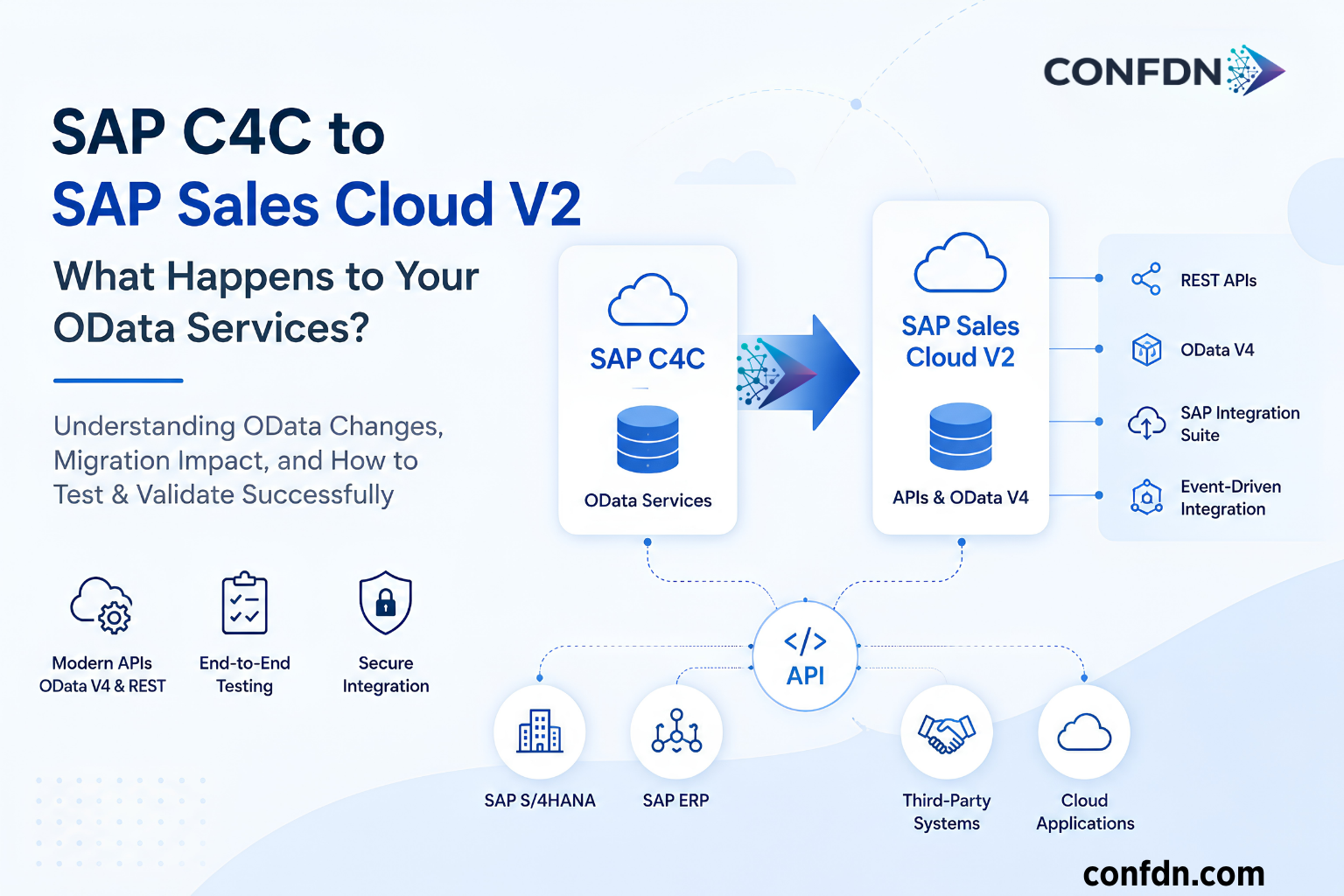
What Happens to OData Services When Migrating to SAP Sales Cloud V2?
One of the most common technical questions teams ask when planning a migration from SAP C4C to SAP Sales Cloud V2 is:
Will our existing OData services continue to work?
This question is especially critical for organizations integrating with SAP CPI, SAP ERP, SAP S/4HANA, or third‑party systems. Over the years, many integrations have become deeply dependent on dozens of OData services.
For this reason, the SAP Sales Cloud V2 migration is not just about data migration or user training. The integration layer must be analyzed in detail.
This article explains how OData services in SAP C4C map to SAP Sales Cloud V2, what changes during the migration, and how to properly test APIs in the new environment.
How OData Services Were Used in SAP C4C
In SAP C4C, most integrations relied on OData and SOAP services. Customer, opportunity, activity, and service processes were commonly integrated with ERP, CPI, and external systems through OData.
Frequently used services included:
- AccountCollection
- ContactCollection
- OpportunityCollection
- ServiceRequestCollection
- IndividualCustomerCollection
In many organizations, these services became the backbone of multiple systems over time.
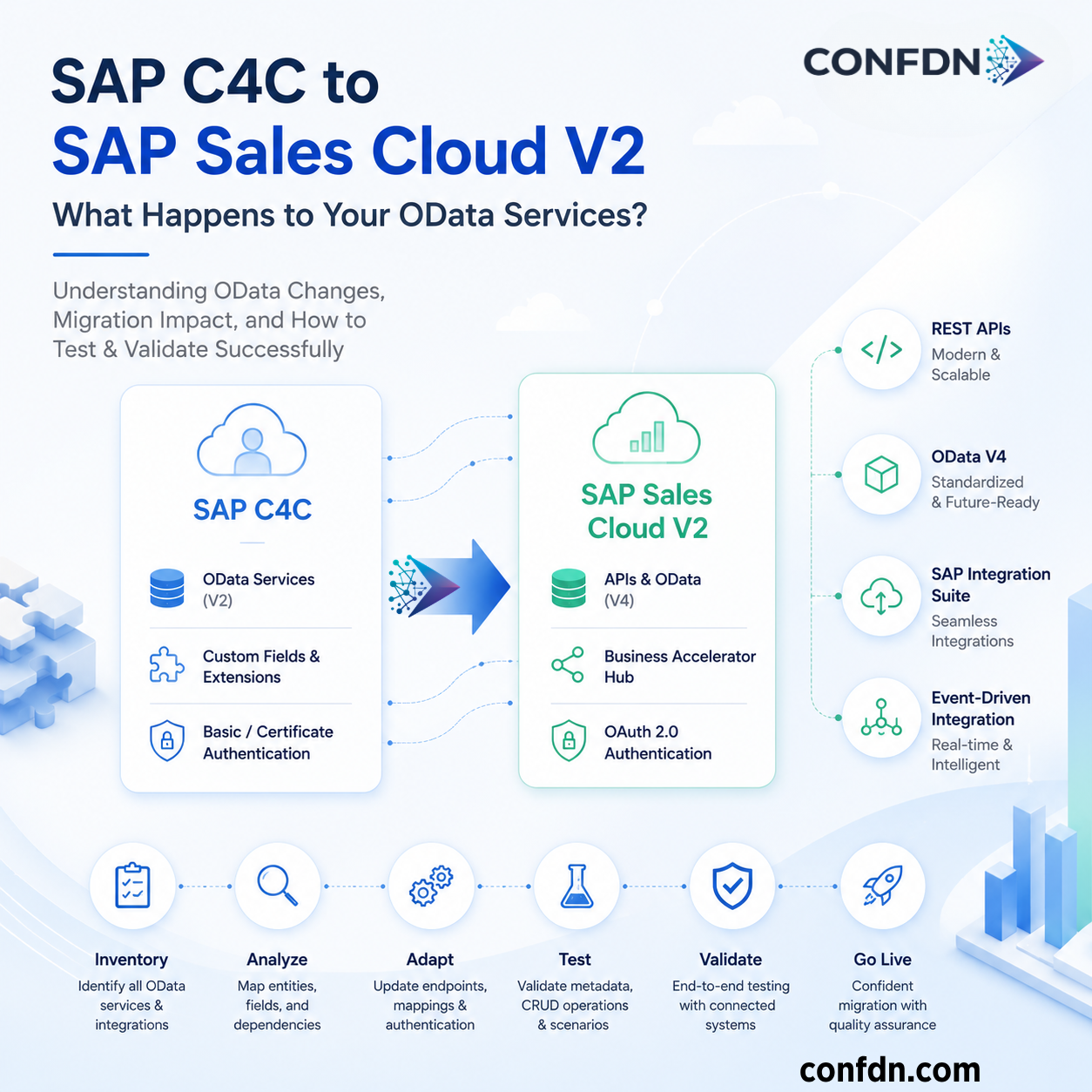
Why SAP Sales Cloud V2 Has a Different API Approach
With SAP Sales Cloud V2, SAP modernized its API strategy.
Key pillars of the new architecture include:
- REST‑based API design
- OData V4 standard
- SAP Business Accelerator Hub
- Event‑Driven Architecture
- SAP Integration Suite
Because of this shift, many C4C OData services are not carried over one‑to‑one into V2. Some services have new endpoints, and some data models have been redesigned entirely.
Are C4C OData Services Automatically Migrated to V2?
Short answer: No.
During migration, the following areas must be re‑evaluated:
- Endpoint structures
- Entity names
- Navigation relationships
- Query behavior
- Authentication methods
- Data model differences
This is why one of the first steps in any migration project should be creating a complete API inventory.
First Step: Build an API Inventory
Many post‑go‑live integration issues originate from an incomplete API inventory at the start of the project.
You should document:
- All OData services currently in use
- CPI iFlow connections
- ERP integration points
- Third‑party system connections
- Authentication mechanisms
- Custom endpoints
Without this, defining the migration scope accurately is nearly impossible.
Critical Areas to Validate
Entity Mapping
Verify the V2 equivalents of core objects such as:
- Accounts
- Contacts
- Leads
- Opportunities
- Activities
Custom Fields
Extension fields are often essential for integrations.
Validate:
- Does the field still exist?
- Is it exposed in the API?
- Does the mapping need to be updated?
Query Structures
The following queries must be retested:
- $filter
- $select
- $expand
- $orderby
- $top
- $skip
Some queries behave differently in V2.
Authentication
While C4C commonly used Basic Authentication or Certificate Authentication, V2 relies heavily on OAuth 2.0.
Security must be revalidated.
Where Are SAP Sales Cloud V2 APIs Published?
SAP publishes all Sales Cloud V2 APIs on the SAP Business Accelerator Hub:
👉 https://api.sap.com/products/SAPSalesCloudV2/apis
From this portal, you can:
- Access full API documentation
- Explore data models
- View sample requests/responses
- Use the Try Out feature to test APIs directly
This is the official and most up‑to‑date source for all V2 APIs.
How to Test SAP Sales Cloud V2 APIs
SAP provides two official methods for testing V2 APIs.
1) Testing via Business Accelerator Hub (Try‑Out)
Each API page includes a Try Out section.
You can:
- Select endpoints
- Enter parameters
- Test $filter, $select, $expand
- Add OAuth tokens
- View real‑time responses
This is ideal for quick validation.
2) SAP‑Provided Postman Collections
SAP also publishes ready‑to‑use Postman collections:
These collections allow you to:
- Test all OData V4 services
- Configure OAuth
- Execute full CRUD operations
They are especially useful before CPI integration testing.
SAP Sales Cloud V2 API Base URL Structure
Kod
https://<tenant-id>.crm.cloud.sap/sap/c4c/odata/v1/<ServiceName>
Example:
Kod
https://my123456.crm.cloud.sap/sap/c4c/odata/v1/Account
Post‑Migration OData Test Plan
Test 1 – Metadata Validation
- Entity Sets
- Navigation Properties
- Custom Fields
- Associations
Test 2 – Read Scenarios
Compare Account, Contact, Opportunity, and Activity data between old and new systems.
Test 3 – Create Scenarios
Validate new record creation and business rules.
Test 4 – Update Scenarios
Test PATCH and UPDATE operations thoroughly.
Test 5 – Delete Scenarios
Validate delete operations where applicable.
Required Checks on the SAP CPI Side
- Endpoint updates
- Credential validation
- OAuth configuration
- Mapping verification
- Error handling tests
Most Common Issues Encountered
- Missing custom field mappings
- Changed entity structures
- OAuth configuration errors
- CPI mapping issues
- Unexpected query behavior
- Insufficient integration testing
OData Migration Checklist
- API inventory completed
- Entity mapping validated
- Custom fields reviewed
- Metadata tests completed
- CRUD tests executed
- CPI integrations validated
- ERP integrations tested
- UAT approval received
Final Thoughts
Many SAP Sales Cloud V2 migration projects initially focus on data migration and user processes, while the integration layer is evaluated later. In reality, a significant portion of post‑go‑live issues arise from API and integration gaps.
A successful migration requires:
- A complete OData service inventory
- Detailed endpoint analysis
- Comprehensive integration testing
For organizations working with SAP CPI, SAP ERP, SAP S/4HANA, and third‑party systems, a well‑designed OData test strategy significantly reduces post‑migration risks.