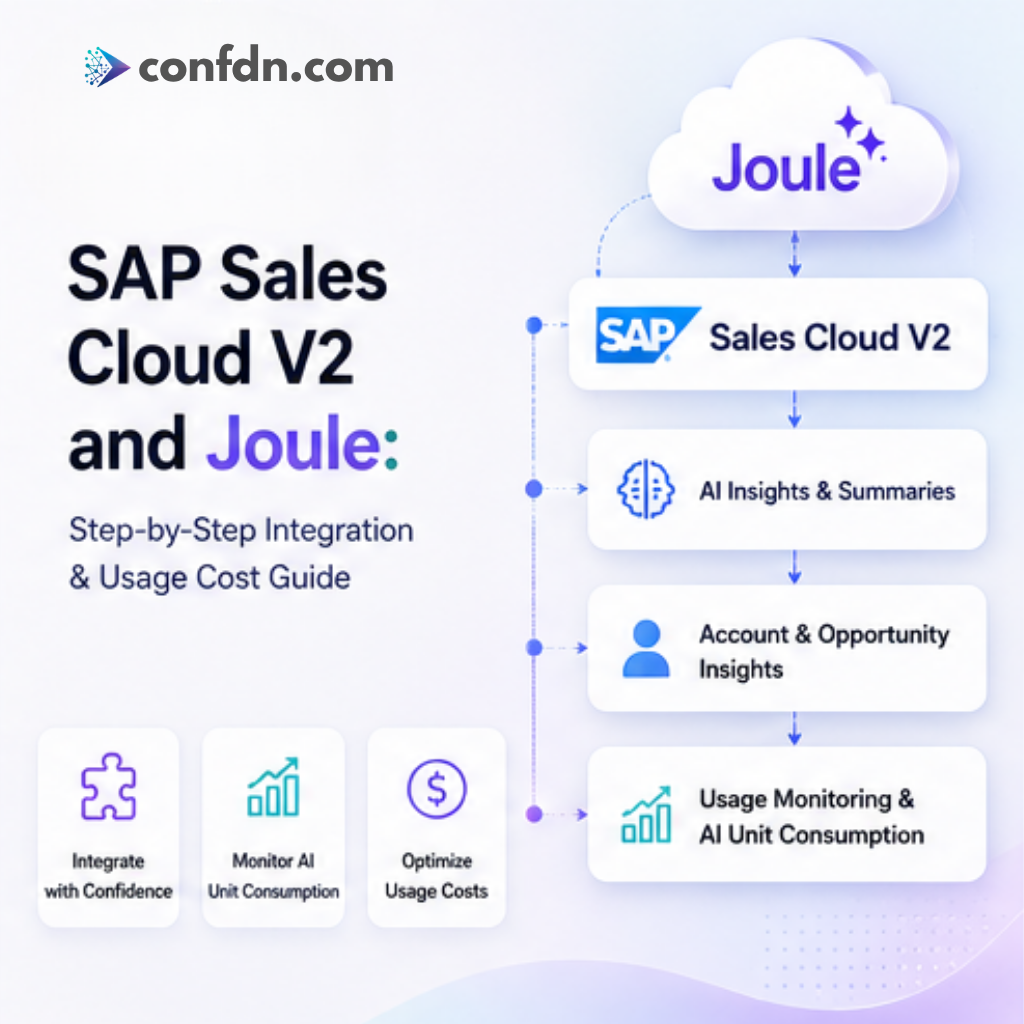
SAP Sales Cloud V2 and Joule: Integration and Usage Cost Guide
Learn how to integrate Joule with SAP Sales Cloud V2, understand usage-based cost models, AI Units, monitoring strategies, and implementation best practices.
Introduction
Artificial Intelligence is rapidly becoming a standard component of modern CRM platforms. Organizations no longer view AI as an experimental technology; instead, they expect it to accelerate decision-making, reduce administrative effort, and improve customer engagement.
SAP addresses this demand through Joule, its generative AI assistant that is deeply integrated across SAP's cloud portfolio, including SAP Sales Cloud Version 2.
Within Sales Cloud V2, Joule helps sales teams access information faster, summarize customer interactions, analyze opportunities, and generate meaningful insights directly inside their daily workflows.
However, before enabling Joule, organizations typically ask two critical questions:
- How does the integration process work?
- How is AI usage measured and charged?
This guide explains the technical preparation, activation process, governance considerations, and the factors that influence AI consumption costs in SAP Sales Cloud V2.
What is Joule?
Joule is SAP's enterprise-grade generative AI assistant designed to operate securely within SAP business applications.
Unlike traditional chatbots, Joule understands business context and can retrieve information directly from SAP processes, helping users complete tasks without manually navigating multiple screens.
In Sales Cloud V2, Joule can summarize accounts, opportunities, customer interactions, sales orders, and historical activities while also providing contextual recommendations that help sales teams focus on the next best action.
Typical Joule Architecture in Sales Cloud V2
Before discussing implementation steps, it is useful to understand the high-level architecture that supports Joule.
The solution typically consists of SAP Sales Cloud V2, SAP Cloud Identity Services (IAS), Joule, SAP Business AI Services, and the underlying authorization framework. Together, these components ensure that AI-generated responses are based on business context while respecting existing security permissions.
Organizations should view Joule not as a standalone AI assistant but as an extension of their existing CRM processes and governance model.
Pre-Integration Assessment
One of the most common implementation mistakes is attempting activation before validating licensing, technical readiness, and governance requirements.
Before starting, organizations should verify the following:
- Active Sales Cloud V2 tenant
- Joule entitlement availability
- AI Unit allocation
- Supported region availability
- Identity services readiness
- Required business roles
- Security and compliance requirements
Conducting a readiness assessment early significantly reduces project risk and avoids activation delays.
Step 1 – Tenant Preparation
The first implementation phase focuses on establishing a stable platform foundation. The tenant should already support core sales processes before AI capabilities are introduced.
- Tenant accessibility
- Organizational structure setup
- Business role configuration
- Master data readiness
- Test and Production landscape separation
- Core sales process availability
Organizations that attempt AI adoption before stabilizing their CRM landscape often experience lower adoption rates and reduced business value.
Step 2 – Identity and Authentication Setup
Authentication is one of the most critical components of every Joule implementation.
Typical activities include:
- SAP Cloud Identity Services configuration
- Identity Authentication Service (IAS) integration
- Single Sign-On validation
- Trust configuration
- User synchronization
In many projects, authentication-related issues account for a significant portion of deployment delays. Identity validation should therefore be completed before pilot activation begins.
Step 3 – Security and Authorization Design
A common misconception is that AI assistants can access information beyond a user's authorization scope. Joule does not bypass existing security controls.
Users can only receive insights based on data they are already permitted to access within Sales Cloud V2.
- Sales Representative Access
- Management Access
- Territory Management
- Sensitive Data Controls
- Compliance Requirements
A strong authorization model ensures that AI-generated insights remain secure, auditable, and compliant.
Step 4 – Selecting Initial Use Cases
Successful organizations rarely activate every available AI capability on day one. Instead, they focus on use cases that provide immediate business value and measurable outcomes.
Starting with a focused scope simplifies adoption, governance, and consumption tracking.
Step 5 – Activation and Configuration
Once technical prerequisites are complete, Joule can be activated.
- Subscription activation
- Service verification
- Trust validation
- Role assignment
- Pilot user selection
- Functional testing
At this stage, organizations should establish baseline usage metrics that can later be compared against production adoption.
Step 6 – Pilot Deployment
A pilot rollout is strongly recommended before enabling Joule across the entire organization.
A typical pilot group may include sales representatives, sales managers, CRM administrators, and business process owners.
During the pilot phase, organizations should monitor:
- Daily active users
- Feature adoption rates
- User satisfaction
- AI response quality
- AI Unit consumption
- Productivity improvements
The objective is not only to verify technical functionality but also to validate measurable business value.
Understanding AI Unit Consumption
One of the most frequently discussed topics during implementation planning is cost management.
Joule usage is generally based on AI consumption rather than a simple per-user licensing model. While contractual terms vary between organizations, overall consumption is influenced by the number of active users, usage frequency, enabled capabilities, processing complexity, and adoption levels.
For this reason, estimating costs based solely on user counts can lead to inaccurate forecasts.
Example Consumption Scenario
Consider two organizations with 50 sales representatives. The first organization uses Account Summary and Opportunity Insights multiple times per day as part of their standard sales process. The second organization has the same number of users but only occasional usage.
Although the user count is identical, overall AI Unit consumption may differ significantly due to adoption behavior and feature utilization.
This is why ongoing monitoring is essential for accurate budgeting and forecasting.
Practical Cost Management Strategies
Organizations can significantly improve cost predictability by implementing governance mechanisms from the beginning.
- Start with a limited pilot group
- Prioritize high-value use cases
- Monitor consumption monthly
- Train users effectively
- Forecast future growth
- Review usage patterns regularly
A proactive governance approach helps maximize business value while minimizing unnecessary consumption.
Common Challenges During Joule Projects
Based on real-world implementation experience, several challenges frequently appear during Joule adoption projects.
- Identity trust configuration issues
- Missing AI entitlements
- Incorrect role assignments
- AI Unit estimation challenges
- User adoption and governance planning
Addressing these topics early can significantly accelerate implementation timelines and improve adoption outcomes.
Real-World Project Lessons
Across enterprise AI implementations, several recurring patterns emerge.
Organizations that achieve the strongest results usually define measurable business objectives, start with a focused pilot, establish governance early, track adoption metrics continuously, and expand gradually based on proven value.
Projects that activate every available AI capability without a clear adoption strategy often struggle to demonstrate ROI and manage consumption effectively.
AI adoption is ultimately a business transformation initiative rather than a purely technical implementation.
Conclusion
Joule represents a significant step forward in bringing generative AI directly into daily sales operations.
When properly implemented, it can help sales teams reduce administrative effort, accelerate access to information, improve customer engagement, and increase productivity.
However, successful adoption requires more than simply activating a new feature.
Organizations should combine technical readiness, security governance, business alignment, user enablement, and continuous consumption monitoring.
Companies that approach Joule as a strategic component of their digital transformation roadmap—not merely as another AI capability—are typically the ones that achieve the greatest long-term value from their SAP Sales Cloud V2 investment.