SAP C4C to SAP Sales Cloud V2 Migration Guide
Planning a migration from SAP C4C to SAP Sales Cloud V2? This comprehensive guide covers readiness assessments, DTT, data migration, custom development transformation, integration adaptation, testing, cutover planning, and go-live best practices.
SAP C4C to SAP Sales Cloud V2 Migration Guide
SAP Sales Cloud V2 represents SAP's next-generation CRM platform, introducing significant improvements in both architecture and user experience. As a result, many organizations are evaluating plans to transition their existing SAP Cloud for Customer (C4C) environments to Sales Cloud V2.
However, migration is far more than a simple data transfer exercise. Successful projects treat the transition as a business transformation initiative that combines analysis, architecture design, data migration, integration adaptation, and user adoption.
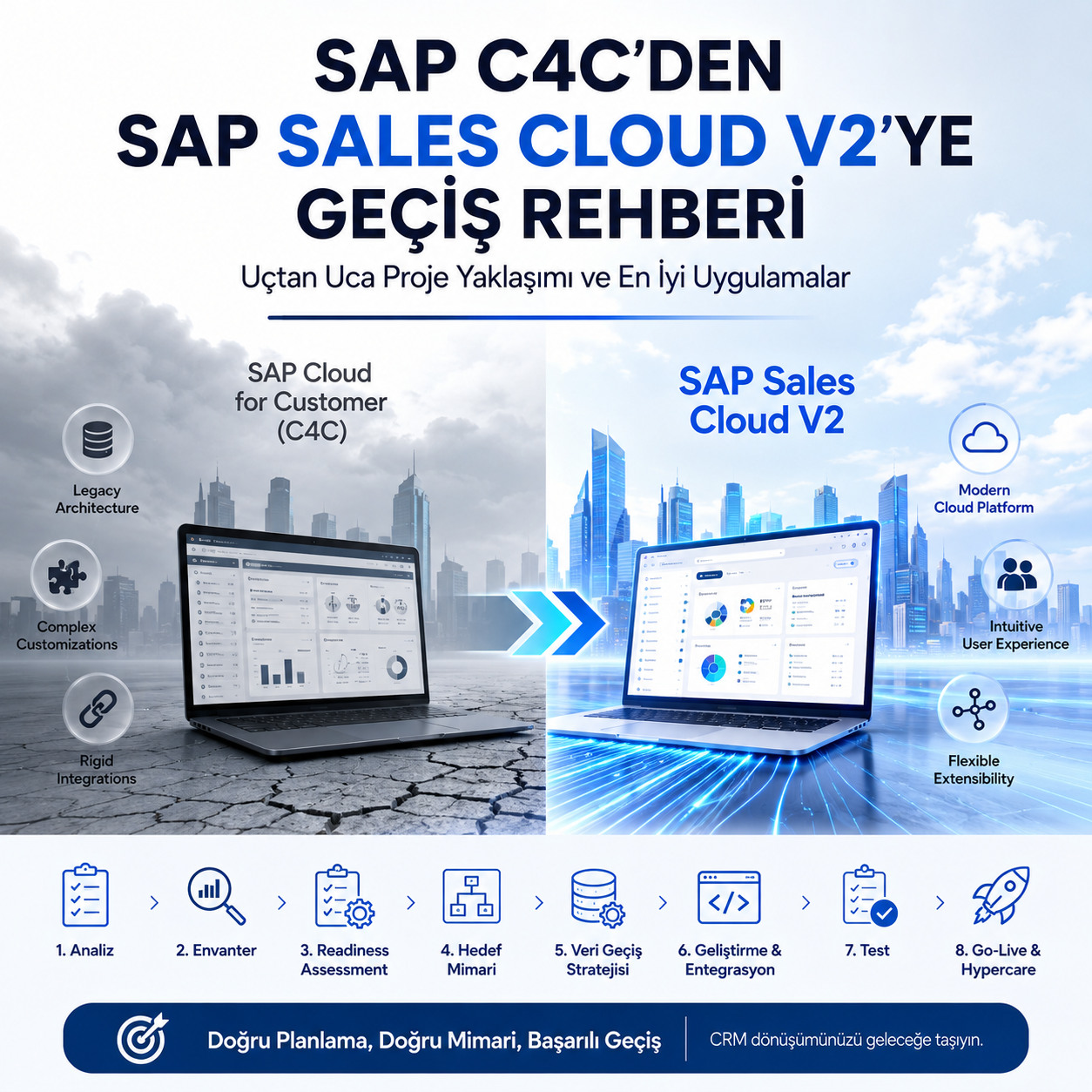
In this guide, we walk through the SAP C4C to SAP Sales Cloud V2 migration journey from start to finish using a real-world project approach.
Executive Summary
Many organizations initially view the move from SAP C4C to SAP Sales Cloud V2 as a technical upgrade. In reality, successful migrations involve redesigning customer engagement processes, reviewing existing customizations, and modernizing the CRM landscape.
Data migration is only one part of the journey. Integrations, workflows, outputs, security models, and extensibility approaches must also be reassessed.
Who Should Consider Migrating to SAP Sales Cloud V2?
- Organizations currently using SAP C4C
- Companies with long-term SAP CX roadmaps
- Businesses seeking modern CRM capabilities
- Organizations planning SAP BTP-based extensions
- Companies looking to modernize customer engagement processes
Migration Decision: The Strategic Starting Point
A C4C to V2 migration is not merely a technical upgrade. It is a transformation project that redefines CRM processes.
The following questions should be answered before planning begins:
- Which modules are actively used?
- How many active users are there?
- Which integrations are currently running?
- What custom developments exist?
- Which reports, outputs, and workflows are business critical?
The outcome of this phase is typically documented in a Current State Assessment Document.
System Inventory Assessment
This phase directly influences project duration, cost, and risk.
Business Objects
- Accounts
- Contacts
- Leads
- Opportunities
- Activities
- Tickets
Custom Developments
- Custom BOs
- XBO Extensions
- ABSL Scripts
- Workflow Rules
- UI Adaptations
- Mashups
Integrations
- SAP CPI
- SOAP Services
- OData Services
- Middleware Connections
- Third-Party Systems
Outputs
- Adobe Forms
- Email Templates
- Output Rules
A complete inventory is essential for defining the migration scope.
Readiness Assessment
Each component is evaluated and assigned a migration strategy.
This assessment becomes the backbone of the migration project plan.
What Cannot Be Directly Migrated from C4C to V2?
This is one of the most common questions raised during migration planning.
Migration planning should therefore extend beyond data migration and include application redesign activities where necessary.
Target Architecture Design
This phase defines how the future Sales Cloud V2 landscape will operate.
Standard Functionality
- Modern UI/UX
- Enhanced sales processes
- Next-generation data model
Key User Extensibility
- Extension Fields
- Business Rules
- Adaptation
Side-by-Side Extensions
- SAP BTP
- CAP Applications
- Build Apps
- Event Mesh
- Integration Suite
The result of this phase is typically documented in a Target Architecture Document.
How Long Does a Migration Take?
Project duration is primarily driven by integration complexity and customization volume rather than user count.
Data Migration Strategy
Data migration is not only a technical activity. Data quality and scope are equally important.
Master Data
- Accounts
- Contacts
- Employees
- Products
Transactional Data
- Opportunities
- Activities
- Tickets
Organizations must determine which data will be migrated, archived, or retired.
Data Transfer Tool (DTT)
SAP's Data Transfer Tool provides a structured and supported migration approach.
Typical activities include:
- Tenant connectivity setup
- User authorization setup
- Field mapping configuration
- Migration testing
Custom Development Transformation
This is often the most time-consuming phase of the project.
Reusable Components
- Adaptations
- Business Rules
Components Requiring Rebuild
- SDK Developments
- Custom Data Models
- BTP Applications
Close collaboration between technical and functional teams is essential during this phase.
Integration Adaptation
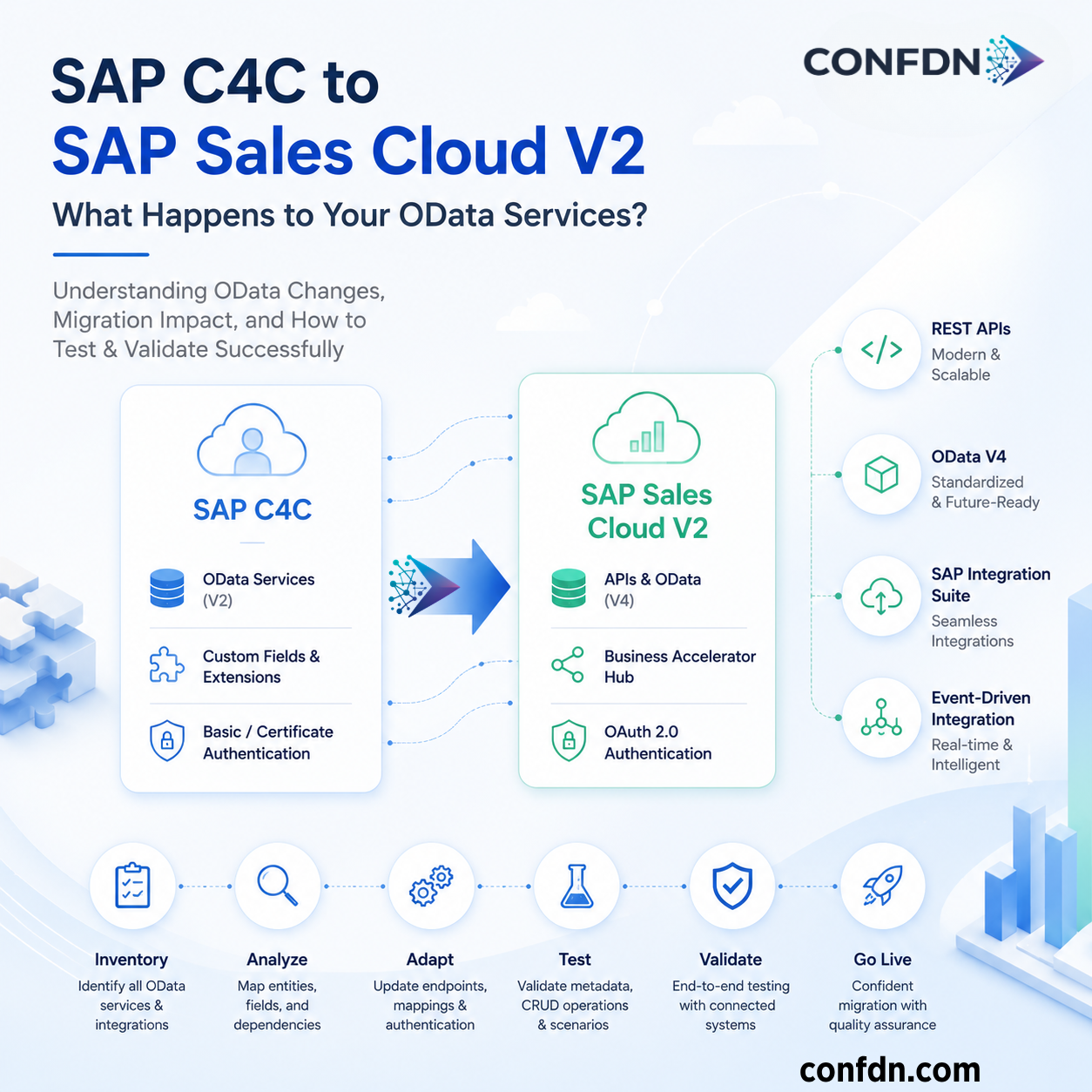
Sales Cloud V2 introduces a different API architecture compared to SAP C4C.
Systems typically reviewed include:
- SAP ERP
- SAP S/4HANA
- SAP FSM
- SAP Marketing
- Third-Party Applications
API versions, data mappings, and CPI iFlows should be thoroughly tested.
Adobe Forms and Output Management
Output management is frequently underestimated during migration projects.
Areas requiring validation include:
- Form Templates
- Multilanguage Support
- Email Integrations
- PDF Outputs
- Custom Data Sources
Testing Phase
SIT
System Integration Testing validates all integrations and end-to-end business processes.
UAT
User Acceptance Testing validates real-world business scenarios.
Regression Testing
Ensures that newly developed functionality does not disrupt existing processes.
Common Migration Mistakes
- Incomplete system inventory analysis
- Poor data quality preparation
- Late integration testing
- Ignoring Adobe Forms redesign requirements
- Insufficient user training
- Underestimating Hypercare activities
Cutover Planning
Before go-live, organizations should define:
- Data Freeze Date
- Final Data Migration
- User Training Activities
- Authorization Validation
The cutover plan is one of the most critical documents in the entire project.
Go-Live and Hypercare
The first 2-4 weeks after go-live are typically considered the Hypercare phase.
Recommended KPIs include:
- Data Accuracy Rate
- Critical Incident Count
- Integration Failure Rate
- User Support Tickets
- Average Resolution Time
- User Satisfaction
Conclusion
A migration from SAP C4C to SAP Sales Cloud V2 is far more than a system replacement project. Successful migrations require coordinated efforts across business analysis, architecture design, data migration, integration adaptation, and user adoption.
Organizations with extensive customizations, complex integrations, or global operations benefit significantly from early planning and clear architectural decisions.
Sales Cloud V2 provides more than a modern user experience. It enables organizations to leverage modern extensibility concepts, SAP BTP services, and next-generation CRM capabilities.
For this reason, successful migration initiatives should be approached as business transformation programs rather than simple technical upgrades.